
Create a Rank Ready Document in 3 Minutes
Frase's Rank Ready Document blends GPT-4, semantic SEO data, and Google search insights to help you create a high-quality, optimized first draft with less effort. This guide walks you through every step of the setup process so you can go from search term to publishable content in minutes.
Rank Ready articles use Rank Ready credits. Our Starter plan includes 2 credits per month & our Professional plan includes 10. Any plan can purchase additional Ready Rank credits at any time. Learn more here.
In this article
Start a New Rank Ready Document
Frase pulls SEO topic data by scraping the top 20 Google search results and using Natural Language Processing to identify key semantic terms. You’ll start by targeting the query you want to rank for.
- In the upper left corner, click New Document.
- Select Generate Rank Ready Document.
- Type the search query you'd like to rank for in the empty field & make your selections for the type of content you're looking to write, the length, and tone of voice.
- Click the Generate Content button.
Needing writing inspiration? Scroll below the search query field & look through our writing suggestions based on your profile & trending topics.
Customize Your Outline
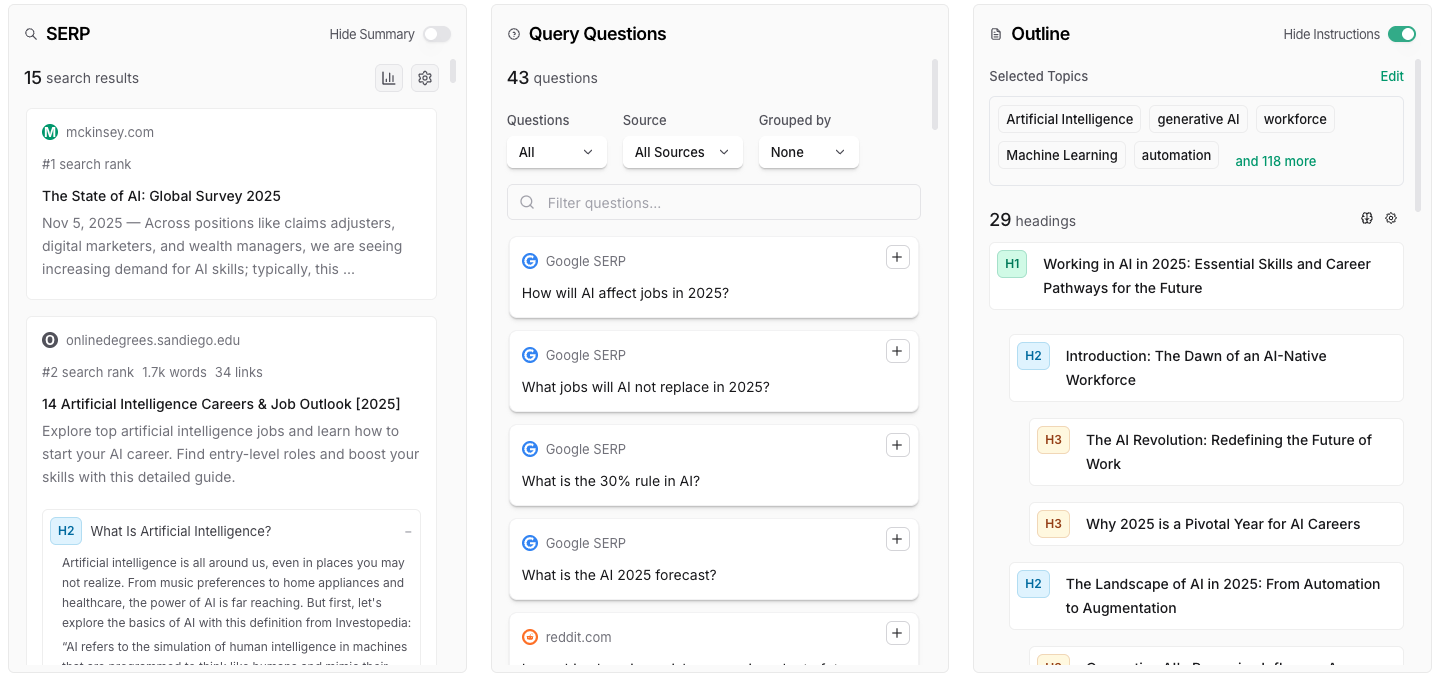
in Step 2 of the Flow, you'll see three different columns:
- In the SERP column, you will see up to 20 of the highest ranking pages for your search term, along with information about their article and heading structure
- In the Query Questions column, you will see a list of common questions asked in places like Google, Reddit, and Quora. You can choose to insert these common questions into your outline
- In the Outline tab, you'll review the AI-generated outline recommendation based on the SERP results, and you can add, remove, and edit the heading structure as needed. This is also where you will decide where your query questions should be placed into the outline
💡 The AI will recommend around 30 headings for your article, but if you decide to lower the word count, we recommend removing several of these headers. If you have too many headers for a short article, expect your paragraphs to be much smaller.
Generate Your Article
In the lower right, click the Generate Article button—then step back and let Frase work its magic! Once the article has generated, click Review and Optimize to further refine or publish it right away.

💡 To see your SEO score and optimize further, in the upper right of your document click the Optimize tab.