
Create a Content Brief in Frase
Content briefs keep your team aligned and your content on track. In Frase, you can create a high-quality brief in minutes, whether you're working solo or handing off to a writer.
📖 This guide shows you three ways to build a content brief in Frase—automated, templated, or manual—so you can pick what works best for your workflow.
In this article
- What Is a Content Brief?
- Option 1: Generate a Content Brief Automatically
- Option 2: Start From a Brief Template
- Option 3: Create a Brief Manually
What Is a Content Brief?
A content brief outlines the key elements of an article or page before writing begins. It’s a roadmap that helps content writers produce focused, relevant, and search-optimized content.
In a typical brief, you'll find:
- The content goal or intent
- A suggested title or title options
- An outline or section structure
- Target keywords or topics to cover
- Key questions to answer
- Source links or inspiration
Content marketers use briefs to reduce guesswork, scale SEO efforts, and make handoffs between strategists and writers more seamless.
Option 1: Generate a Content Brief Automatically
This is the fastest way to build a brief. Frase pulls from Google search results and generates key elements using AI and real data from the top-ranking pages.
You must be inside the Research Project workflow to generate an automated brief.
To generate a brief:
-
With your document's Research Panel, click into the SERP tab.
Just above your search results, click the Generate Brief button.
Or, if your editor is blank, click Generate Content Brief in the center of the screen under your document title.
Select the sections you want to include. You can choose from:
- Guidelines: High-level content goals plus average word and heading count from top results.
- Titles: 10 AI-generated options based on search intent.
- People Also Ask: Google questions related to your topic.
- SERP: Top 20 titles, meta descriptions, and links.
- Outline: AI-suggested structure from top-ranking articles.
- Topics: SEO keywords and topic clusters.
- Questions: Common questions from sites like Reddit and Quora.
- Statistics: Numbered data pulled from source pages.
- Links: External links found in the top search results.
- Click Generate Brief & watch Frase build your brief preview.
- When ready, click Insert brief to editor to add it to your document.
Option 2: Start From a Brief Template
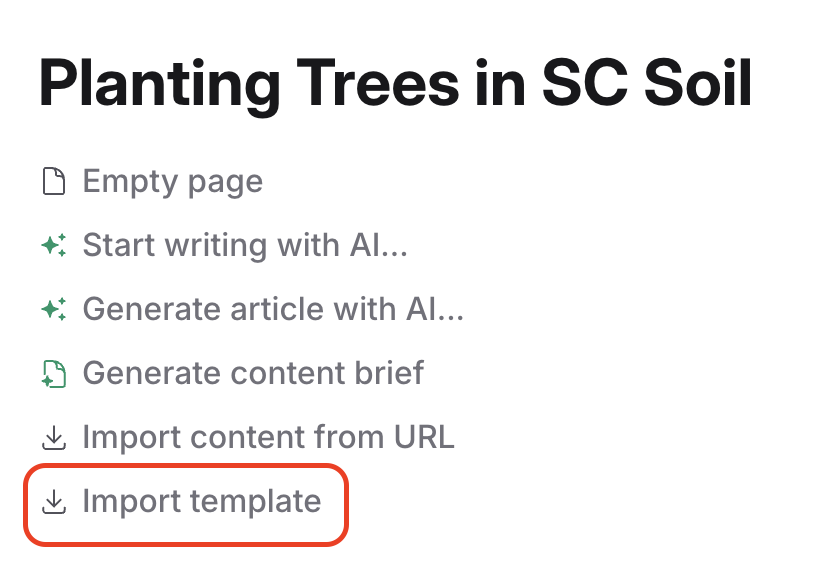
Templates help you move faster when you have a repeatable process or content type, like product reviews or service pages.
-
Open a blank document in Frase.
In the upper left of the editor, click Import Template.
Choose from available templates such as:
- Master content brief
- Product review brief
- Service page brief
- Customize the template by pulling in data from the SERP tab or Optimize tab.
- Fill in any missing sections manually, and your brief is ready to share.
Option 3: Create a Brief Manually
If you prefer full control or want to build a custom brief from research, you can create one manually using Frase’s research tools.
-
Open a new document and process your search query.
Use the following tabs to gather your research:
- SERP: Copy relevant titles, headings, or competitor structures.
- Optimize: Pull key topics and keyword clusters.
- Info Gain: Find common questions, stats, and links from top pages.
- Paste your research into the editor and organize it as a brief.
💡 Manual briefs are ideal when you have a unique strategy or niche topic that automated tools may not capture well.